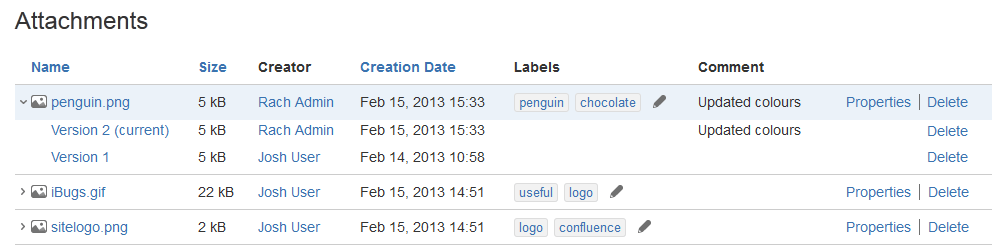
By default, when you delete an attachment, this will delete all versions of the attachment. To do that, you need the 'Delete Attachments' permission. See Space permissions.

If you want to delete a specific version of an attachment, you need to be a space administrator.

Related pages:

To delete all versions of an attachment:

  1. Go to the page that contains the attachment.
  2. A list of the page's attachments will appear.
  3. Choose Delete next to the attachment you want to delete.
  4. Choose Delete to confirm your action.

To delete a specific version of an attachment:

  1. Go to the page that contains the attachment.
  2. A list of the page's attachments will appear.
  3. Choose the arrow on the left next to the attachment you want to manage. A list of attachment versions will appear.
  4. Choose Delete next to the version you want to delete.
  5. Choose Delete to confirm your action.

Screenshot: Attachments and attachment versions